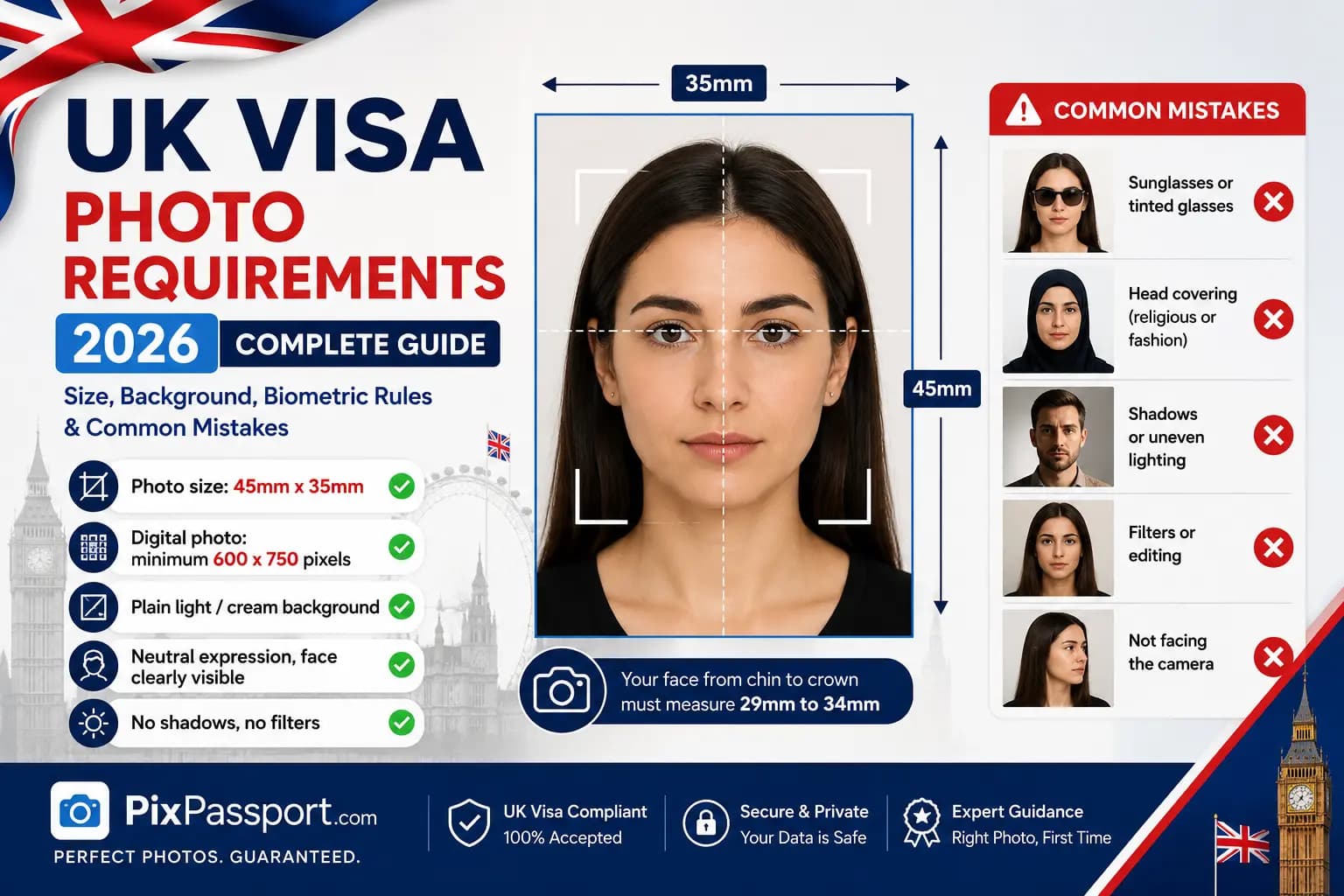
A non-compliant photo is one of the most common reasons a UK visa application gets delayed. Whether you are applying for a Standard Visitor Visa, Student Visa, Skilled Worker Visa, Family Visa, or any other route, UK Visas and Immigration (UKVI) uses the same photo specification that His Majesty's Passport Office (HMPO) publishes on GOV.UK. This guide sets out every requirement exactly as GOV.UK states it, so you can prepare a compliant photo the first time.
Every figure below is taken directly from the official GOV.UK: Get a passport photo guide, which covers both digital photos and printed photos. Where a detail is not confirmed by GOV.UK, we say so rather than guess. Always check the current guidance on gov.uk before you submit your application, since rules can change.
Get Your UK Visa Photo Right the First Time
Resize your photo to 35x45mm with a compliant cream or light grey background, and check it against every GOV.UK requirement before you apply.
Powered by PixPassport
Quick Reference: UK Visa Photo Requirements
| Requirement | GOV.UK Specification |
|---|---|
| Printed photo size | 35mm wide x 45mm tall |
| Head height (crown to chin) | 29mm - 34mm |
| Printed photo background | Plain cream or light grey |
| Digital photo background | Plain, light-coloured |
| Digital photo minimum size | 600 pixels wide x 750 pixels tall |
| Digital file size | 50KB - 10MB |
| Printed photos required | 2 identical photos (paper applications) |
| Recency | Taken within the last month |
| Glasses | Avoid unless you need them; no sunglasses or tinted lenses |
| Expression | Plain expression, mouth closed, eyes open and visible |
| Headwear | Not permitted, except for religious or medical reasons |
| Printed photo paper | Plain white photographic paper, no border |
| Editing | Not permitted - photo must be unaltered by software |
| Governing body | Home Office / UK Visas and Immigration, using HMPO photo standards |
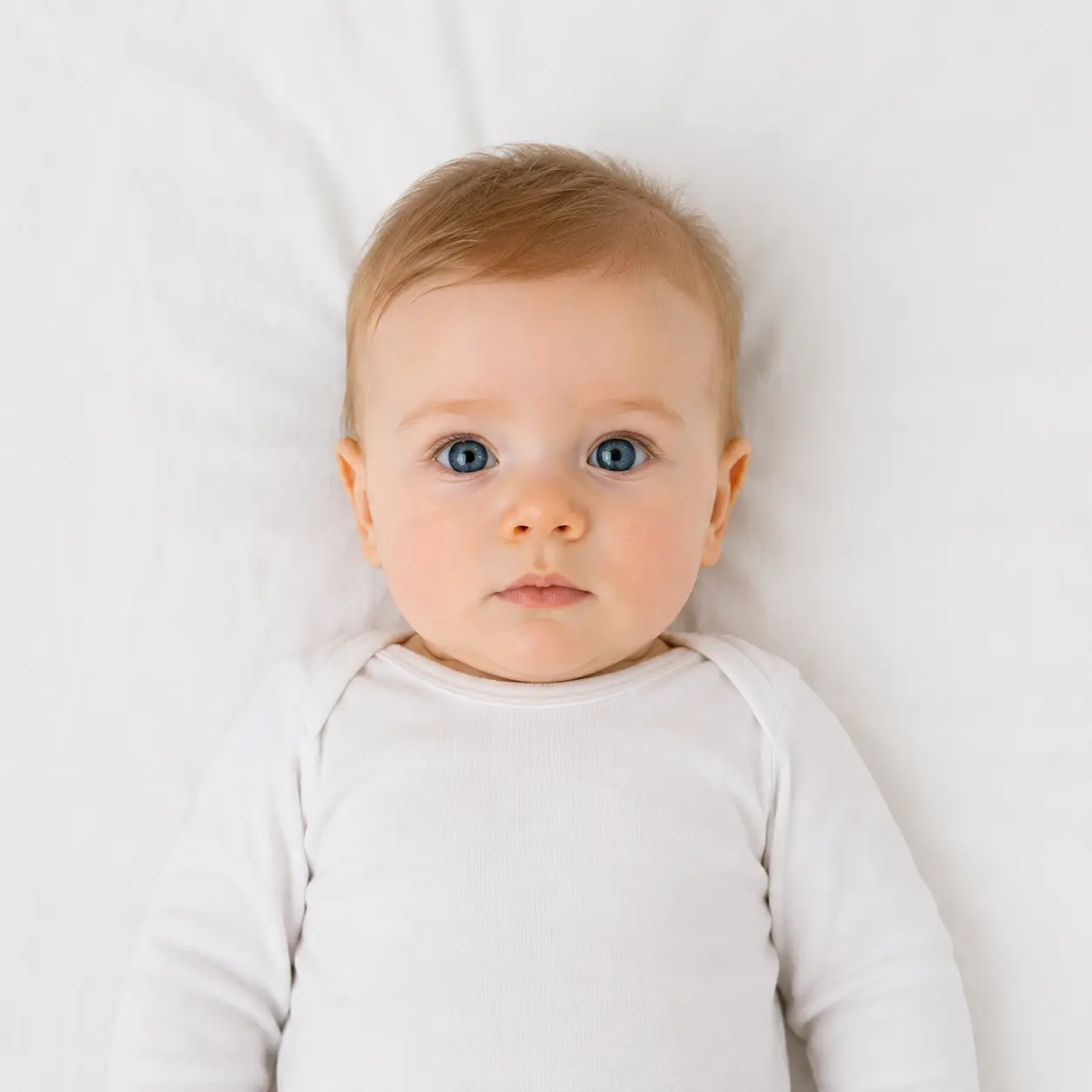
Photo Size: Printed and Digital
For a paper application, your printed photo must measure exactly 35mm wide by 45mm tall. Within that frame, the distance from the crown of your head to your chin must fall between 29mm and 34mm. GOV.UK notes this is the same size produced by standard UK photo booths, and warns that a photo cropped down from a larger picture will not be accepted.
For an online application, you upload a digital photo instead. GOV.UK does not publish a DPI figure for this file. Instead, the digital photo must be:
- At least 600 pixels wide and 750 pixels tall
- Between 50KB and 10MB in size
- Clear, in focus, in colour, and unaltered by computer software
Background Colour: Cream or Light Grey
This is where applicants most often go wrong. For printed photos, GOV.UK requires a plain cream or light grey background, in clear contrast to your clothing and features. A pure white background is not one of the two approved options, so it is safer to use grey or cream rather than white.
For a digital photo taken during an online application, GOV.UK's wording is broader: the background must simply be plain and light-coloured, in clear contrast to you. In both cases, the background must have no other objects, no other people, no patterns, and no shadows.
Face and Expression
GOV.UK sets the following rules for how you must appear in the photo:
- Face forwards and look straight at the camera
- Keep a plain expression with your mouth closed
- Keep both eyes open and clearly visible
- Do not let hair fall in front of your eyes
- Do not wear a head covering, unless it is for religious or medical reasons
- Do not let anything cover your face
- Avoid any shadows on your face or on the background
- Avoid 'red eye'
Glasses: Allowed Only If You Need Them
GOV.UK's rule is more nuanced than many guides suggest: you should not wear glasses in your photo unless you have to. If you do need to wear them, they cannot be sunglasses or tinted glasses, and your eyes must not be covered by the frames or by any glare, reflection, or shadow. Contact lenses avoid this issue entirely, since they are not visible in the photo.
Headwear
GOV.UK does not permit head coverings in visa or passport photos, with one exception: coverings worn for religious or medical reasons are allowed. The same rules on shadows and visibility still apply, so make sure lighting does not cast a shadow across your face from the covering.
Printed Photo Requirements
If you apply using a paper form, you need 2 identical photographs. According to GOV.UK, they must be:
- Printed to a professional standard, clear and in focus
- In colour, on plain white photographic paper with no border
- Free of creases or tears
- Unmarked on both sides, unless a photo needs to be countersigned
- Unaltered by computer software
- Separated from each other and left loose, not attached to your application form
Does This Apply to Every UK Visa Category?
Yes. UK Visas and Immigration applies the same 35x45mm photo specification across visa routes, including the Standard Visitor Visa, Student Visa, Skilled Worker Visa, Family Visa, Graduate Visa, and Indefinite Leave to Remain. Whether you apply online or by paper form determines whether you need a digital file or 2 printed copies, not which size or background rules apply.
Photos of Babies and Children
GOV.UK relaxes some rules for younger applicants:
- Children must appear alone in the photo, with no toys or dummies for babies
- Children under 6 do not need to look directly at the camera or hold a plain expression
- Children under 1 do not need their eyes open; a hand can support their head as long as the hand is not visible in the photo
- Babies under 1 should lie on a plain, light-coloured sheet, photographed from above
Common Reasons UK Visa Photos Are Rejected
| Rejection Reason | How to Fix It |
|---|---|
| Pure white or coloured background | Use a plain cream or light grey background for printed photos |
| Glare, reflection, or shadow from glasses | Remove glasses if you can, or adjust lighting so your eyes are fully visible |
| Head too large or too small | Keep crown-to-chin height between 29mm and 34mm within the 45mm frame |
| Shadows on the face or background | Use even lighting from both sides, not a single overhead source |
| Smiling or open mouth | Hold a plain expression with your mouth closed |
| Hair covering the eyes | Tie hair back or move it away from your face |
| Photo older than one month | Take a new photo; GOV.UK enforces this recency rule strictly |
| Blurry or out-of-focus image | Use a steady camera or tripod and check focus before printing |
| Digital photo below 600x750 pixels | Check your camera's output resolution before uploading |
| Edited or filtered photo | Submit the original, unaltered image |
How to Take a Compliant Photo at Home
- Choose your background. Stand in front of a plain, light-coloured wall. For a printed photo, cream or light grey works best; avoid a stark white wall.
- Set up even lighting. Face a window with natural daylight, or use two lamps positioned at equal distances on either side, so no shadow falls on your face or the background.
- Remove glasses if you can. If you must wear them, make sure there is no glare, reflection, or frame shadow over your eyes, and never wear sunglasses or tinted lenses.
- Remove headwear, unless you wear it for religious or medical reasons.
- Position the camera at eye level, about an arm's length away, and use the main camera rather than a wide-angle selfie lens where possible.
- Hold a plain expression. Look straight at the camera, keep your mouth closed, and keep both eyes open and visible.
- Check the framing. Your full face, the top of your head, and your shoulders should all be visible, with your head height falling between 29mm and 34mm once printed at 35x45mm.
If you use your own device during an online application, GOV.UK notes that photos from a booth or shop are more likely to be approved than a photo taken on your own device, and that your photo does not need to be pre-cropped since this is done for you.
UK Visa Photo vs UK Passport Photo
| Requirement | UK Visa | UK Passport |
|---|---|---|
| Printed photo size | 35 x 45mm | 35 x 45mm |
| Printed background | Cream or light grey | Cream or light grey |
| Head height | 29-34mm | 29-34mm |
| Recency | Within 1 month | Within 1 month |
| Governing body | Home Office (UKVI) | HMPO |
| Same photo usable for both? | Yes, if it meets the specification above for both applications | |
A Note on Reusing Photos
Since UK visa and passport photos follow the same GOV.UK specification, one compliant photo will generally work for both. Always re-check it against the current rules on gov.uk before each application, in case guidance has changed.
Frequently Asked Questions
Avoid Passport & Visa Photo Rejections
Our automatic AI tool fixes background shadows, crops to exact millimeter specs (2x2" or 35x45mm), and guarantees 100% biometric compliance.
Create & Fix My Photo Now