Singapore Passport Photo Maker Online
Make your Singapore passport photo at home, free to preview, ready for ICA's e-Service in under a minute.
Upload a portrait and the maker crops it to the 35 × 45 mm passport shape, places you on a plain white background, and lets you check the result before you pay.
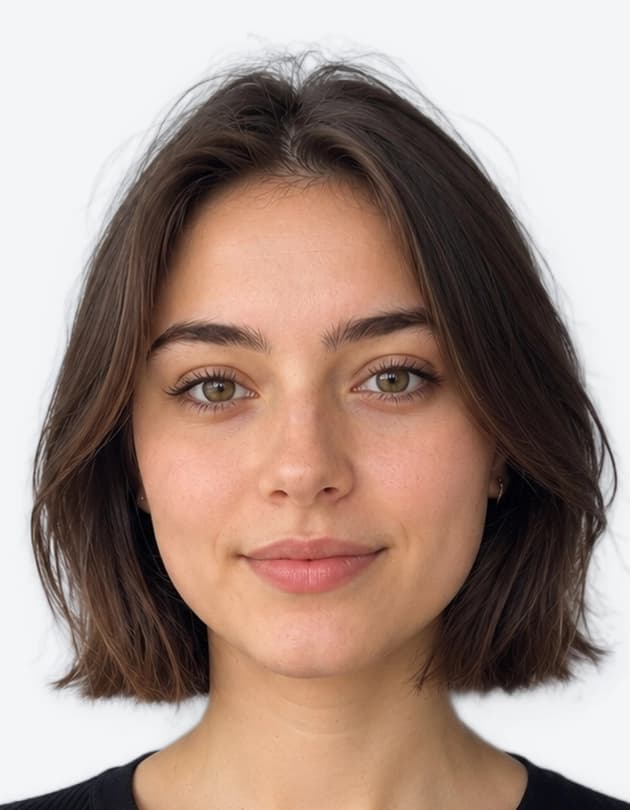 ✓ 35 × 45 mm · White background
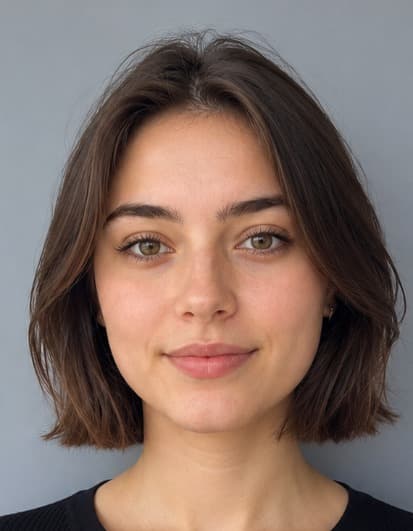 Original Selfie
Drag slider left or right to compare transformation
Quick Answer: How to Make a Singapore Passport Photo Online
Have someone photograph you against any wall, upload the photo here, and the maker crops it to 35 × 45 mm on a plain white background. Preview it for free, then download a digital file for ICA's e-Service (ICA recommends 400 × 514 pixels) or a sheet to print. The photo must be taken within the last three months. For every rule ICA checks, see our ICA photo requirements guide.
Make Your Singapore Passport Photo in 4 Steps
Make your passport photo at home without visiting a studio.
Get Someone to Take Your Photo
Ask a friend to photograph you at eye level in soft daylight. ICA does not recommend selfies, which tend to distort your face.
Upload to the Maker
The tool finds your face, crops to the 35 × 45 mm passport shape, and places you on a plain white background.
Check Before You Pay
Preview the result for free and check framing, lighting and expression before you download anything.
Submit or Print
Upload the digital file in ICA's e-Service, or print the 4×6 inch sheet on matte or semi-matte photo paper.
Print Size vs Digital Size
Most Singapore passport applications are made online, so the digital file matters more than the print.
| Format | Size | When you need it |
|---|---|---|
| Digital upload | 400 × 514 pixels (ICA recommendation), up to 8 MB | Online application through ICA's e-Service with Singpass |
| Printed photo | 35 × 45 mm on matte or semi-matte (non-reflective) paper | Hardcopy submissions |
| Background | Plain white, no shadows or patterns | Both formats |
Need a file at an exact pixel size? Use the Singapore photo resizer (400 × 514 px). Source: ICA photo guidelines.
Why Use a Passport Photo Maker Instead of a Studio
A studio visit works, but an online maker is quicker and lets you fix mistakes straight away.
Skip the Photo Studio
No trip to a studio or booth. Use a photo taken at home and redo it as many times as you like.
Free to Preview
Upload, crop, and check the result at no cost. You only pay when you download the final file.
Digital File and Print Sheet
One purchase gives you the file for the online application and a print-ready sheet for paper forms.
Singapore Passport Photo FAQs
Related Singapore Photo Tools & Guides
Guides and tools for Singapore passport, NRIC and visa photos.
ICA Photo Requirements
What ICA requires for passport, NRIC and pass photos, and why photos get rejected.
Resize to 400 × 514 px
Crop and resize any photo to the pixel size ICA recommends for e-Service uploads.
Singapore Visa Photo
Photo for a visa to visit Singapore, submitted through ICA's SAVE system.
Passport Photo Print Template
Lay out several 35 × 45 mm photos on one 4×6 inch sheet to print at a photo shop.
Passport Photo Checker
Check a photo you already have before you submit it.
Make Your Singapore Passport Photo Now
Upload a photo, preview it on a white background for free, and download it when you're happy.