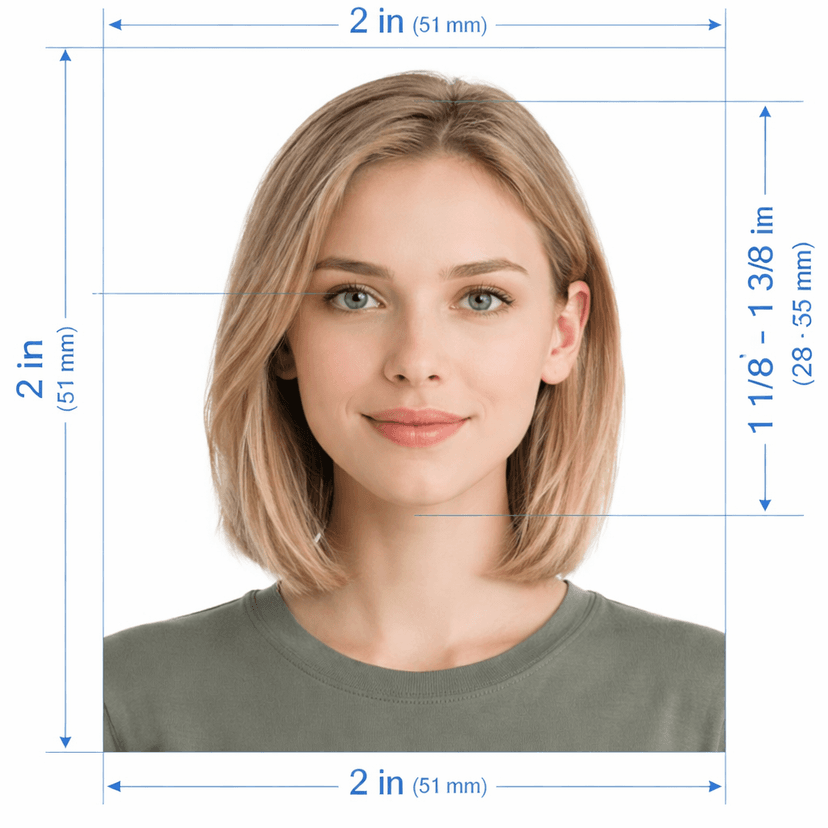
Need a Thailand visa photo that the Thai e-Visa system accepts the first time? Upload one picture to this online photo editor. It crops your image to the official 35×45 mm size, replaces the background with plain white, and scales your head to 70–80% of the frame. Preview the result free, then pay once for the clean HD file and a printable sheet.
Thailand Visa Photo: Official Specifications 2026
Make Your Thailand Visa Photo Online in 3 Steps
1. Upload a Clear Photo
Stand 50 cm from a plain wall, face a window, and look straight into the lens. Ask a friend to shoot at eye level, or use a tripod. Avoid arm-length selfies, because they distort your face.
2. Let the Tool Fix Size, Background, and Framing
The editor detects your face, crops it to the Thailand visa photo size, removes the old background, and centers your head. It also flags glare, shadows, glasses, and smiles, so you can retake the shot before you pay.
3. Download the Digital File and Print Sheet
Pay once to get the watermark-free JPEG for upload and a printable sheet for any photo lab. Reprocess as often as you need.
Thailand Visa Photo Size and Requirements
Thailand's Ministry of Foreign Affairs processes visa applications through the official e-Visa portal at thaievisa.go.th. A photo that misses the rules often returns your application for correction and delays it by several business days.
Size and Dimensions: 35×45 mm
- Centimeters: 3.5 × 4.5 cm.
- Inches: about 1.38 × 1.77 in.
- Pixels: 413 × 531 px at 300 DPI.
- Head: top of hair to chin fills 70–80% of the height.
- Position: face front-on, centered, and level.
Background Color, Lighting, and Shadows
Use a plain white or off-white background with no patterns, objects, or shadows. Soft, even light prevents dark patches on your face and wall. Overexposed and underexposed images both fail.
Expression, Glasses, and Headwear
- Keep a neutral expression with your mouth closed.
- Remove your glasses. Glare and tinted lenses cause rejections, and sunglasses never pass.
- Skip hats and headphones. Religious or medical head coverings are allowed if your full face stays visible.
Photo Age, Color, and Quality
Take the photo within the last six months. Submit a color image, never black and white. Keep it sharp, unfiltered, and free of retouching.
Children and Infants
Every child needs a separate photo that follows the same rules. Place an infant on a plain white cloth, and keep hands, toys, and pacifiers out of the frame.
Thailand Photo Size by Visa Type
The correct size depends on how you apply. Check this list before you order.
Why Use an Online Thailand Visa Photo Maker?
- Free preview: Judge the framing before you pay.
- One payment: Retake and reprocess without extra fees.
- Home convenience: Skip the studio and get your file in minutes.
- Compliance flags: Catch problems before the portal does.
Common Rejection Reasons and Fixes
Apply Through the Official Portal Only
The only official website for Thai visa applications is thaievisa.go.th, operated by the Department of Consular Affairs. Avoid third-party sites that claim government ties. The e-Visa fee is non-refundable once paid.
Thailand Visa Photo FAQs
What is the Thailand visa photo size?
The standard size is 35×45 mm (3.5×4.5 cm), or 413 × 531 px for the digital file.
What background color does a Thai visa photo need?
Plain white or off-white, with no shadows or patterns.
Can I wear glasses in a Thailand visa photo?
Remove them. Glare and tinted lenses cause rejections.
Is the Thailand visa on arrival photo size different?
Yes. Most guides list a printed 4×6 cm photo for visa on arrival and extensions. Check your form before you print.
Can I use a selfie for a Thai visa?
Avoid arm-length selfies. Use a friend or tripod at eye level, then let the tool fix the crop and background.
Can I try the tool before paying?
Yes. The preview is free. You pay only for the HD download.