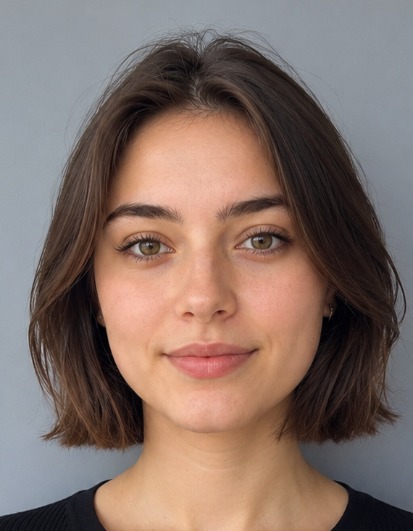
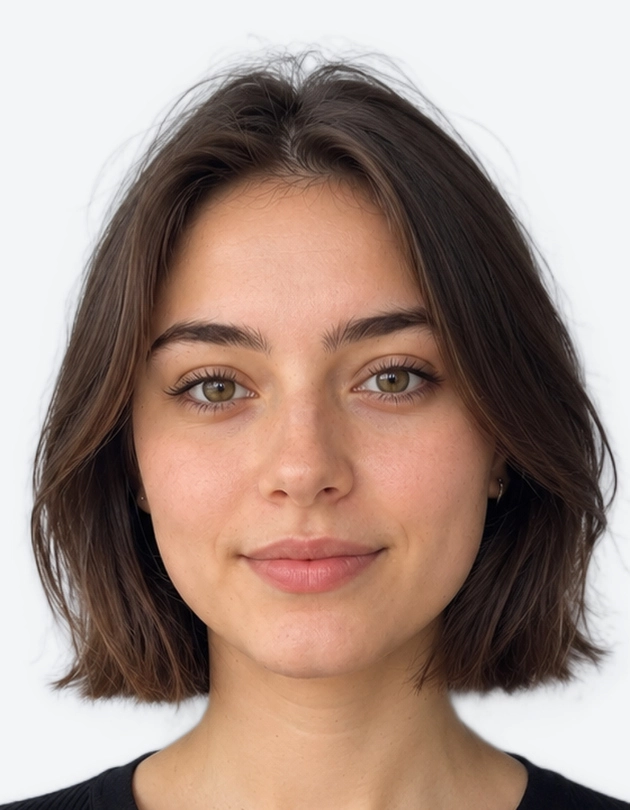
Getting a UK child passport photo right can feel tricky. Children wriggle, babies fall asleep at the wrong moment, and one small mistake can mean your application is sent back. The good news is that the rules for a UK baby and child passport photo are simple once you know them, and there is some helpful flexibility for the youngest ones.
This guide explains the size, background and expression rules in plain English. It also gives practical tips for taking a photo at home and shows how a baby passport photo maker online can save you time and stress.
UK Child Passport Photo Requirements at a Glance
Whether your child is three months or thirteen years old, the photo must meet the same core standards used for adult UK passports.
| Requirement | Detail |
|---|---|
| Print size | 35 mm wide x 45 mm tall |
| Head size | About 29-34 mm from chin to crown |
| Digital format | JPEG, at least 600 x 750 pixels |
| Colour | Colour photo only, no black and white |
| Background | Plain, light-coloured (cream or light grey) |
| Face | Fully visible, no shadows, no red-eye |
| Quality | Sharp, in focus, not blurry or pixelated |
These are the same measurements used across most UK ID documents, so a correctly sized photo is also handy for other forms.
Rules for a UK Baby Passport Photo
Photographing a baby is the part most parents worry about. The rules recognise that a newborn cannot follow instructions, so a few requirements are relaxed for babies under one year old.
What is allowed for babies:
- Your baby's eyes do not need to be open
- Your baby does not need to look at the camera
- A relaxed or sleepy expression is fine, as long as the whole face can be seen
What is still required:
- Your baby's head must be fully visible and centred
- No other person, including a parent's hand or arm, can be in the photo
- No toys, dummies or comforters in the shot
- The background must be plain and light, with no patterns or creases
- The photo must be clear, evenly lit and taken from the front
A Simple Trick for Newborns
Lay your baby on their back on a plain, light-coloured sheet or blanket, such as a white or cream cot sheet. Stand over them and take the picture from directly above. This gives you the plain background you need without anyone having to hold your baby up. Make sure the sheet is smooth so there are no folds casting shadows.
Rules for Toddlers and Young Children
As children get older, the requirements get closer to those for adults, although young children still get some leeway.
- Look at the camera. Try to get your child facing forward with their head straight, not tilted.
- Expression. For younger children, a completely neutral face is not always realistic. Aim for a calm, natural look with the mouth closed if you can.
- Eyes. Eyes should be open and visible, with no hair falling across them.
- No toys or hands. Nothing should block the face, and your child must be alone in the photo.
If your child will not sit still, take lots of pictures in one go. Distracting them with a quiet game just before you shoot often works better than telling them to smile or stay still.
Rules for Older Children and Teenagers
For older children, the standard adult rules apply:
- Neutral expression with the mouth closed
- Looking straight at the camera with eyes open
- No hats or head coverings, unless worn for religious or medical reasons, provided the face is fully visible from chin to forehead
- Hair away from the eyes and face
- No filters, editing effects or heavy retouching
Glasses are generally best removed, because glare and reflections are a common reason photos are rejected. If your child needs to wear glasses for medical reasons, check the official GOV.UK guidance before you apply.
Can I Use a Baby Passport Photo Maker Online?
Yes. A baby passport photo maker online is one of the easiest ways to get a correctly sized photo without visiting a photo booth or studio. Here is how it works:
- Take a clear photo. Use a smartphone in good daylight, facing a window so light falls evenly on your child's face. Avoid using the flash.
- Upload it. Choose the photo you like best in the tool above.
- Let the tool do the work. It crops the image to the UK 35 x 45 mm format, positions the head correctly and tidies up the background.
- Download and use. Save your digital photo for an online application, or print it at home or at a local shop.
The big advantage is convenience. You can try again as many times as you like, in your own home, at a time when your child is calm and happy. That is far easier than queuing at a photo booth with a tired toddler.
Tips for Taking a Great Child Passport Photo at Home
Small details make a big difference. These tips help you avoid the most common rejections:
- Use natural light. A spot near a window gives soft, even lighting. Avoid direct sunlight, which causes squinting and harsh shadows.
- Choose a plain background. A white or cream wall, door or sheet works well. Avoid patterned wallpaper, furniture or curtains.
- Get to eye level. Hold the camera at your child's face height so the photo is not taken from above or below (except the lying-down newborn trick).
- Keep some distance. Stand about one to two metres away and zoom in slightly, rather than holding the camera very close. This avoids distortion.
- Remove distractions. Take off hats, hair clips or bows that cast shadows. Keep dummies and toys out of the frame.
- Check for shadows and red-eye. Look closely at the finished photo, especially around the chin, nose and behind the head.
- Be patient. Take a few minutes, or a few attempts on different days. A calm child gives a much better result.
Common Reasons Child Passport Photos Are Rejected
Knowing what goes wrong can save you weeks of waiting. Photos are often rejected because of:
- Shadows across the face or on the background
- A patterned, dark or cluttered background
- Blurry, grainy or low-resolution images
- Another person, or their hand, visible in the shot
- A dummy, toy or blanket covering part of the face
- Red-eye or glare from a flash
- Photos that have been edited or use filters
- Head too small, too large or cut off in the frame
Before you submit, look at your photo on a large screen and ask: is the face clear, well lit and centred, with a plain background behind it? If the answer is yes, you are usually in good shape.
Do Children Need a Passport Photo Every Time?
Yes. A child's face changes quickly, so a new photo is needed each time you apply for or renew a passport. Child passports are also valid for a shorter period than adult ones, so you may need a fresh photo more often. It is a good idea to take a recent photo close to the time you apply, so your child is easy to recognise at the border.
Final Checklist Before You Apply
Run through this quick list before you submit your child's photo:
- Correct size: 35 x 45 mm print, or a JPEG of at least 600 x 750 pixels
- Plain, light-coloured background with no shadows
- Face fully visible, sharp and evenly lit
- Nobody else in the photo, and no toys, dummies or hands
- Colour photo with no filters or heavy editing
- Recent, and looks like your child today
Rules and fees can change, so always confirm the latest requirements on GOV.UK before you apply. Ready to get started? Upload your photo using our baby passport photo maker online above and get a UK child passport photo that is sized and formatted for your application in moments.